- Metric
- Staff required to run process
- Before
- 1 hired intern
- After
- 0

A Canadian aircraft deicing and ground services company had 50+ staff receiving daily briefings and one intern doing it all by hand. I replaced the entire workflow with a single desktop application.
 Python
 Flask
Flask TypeScript
 Electron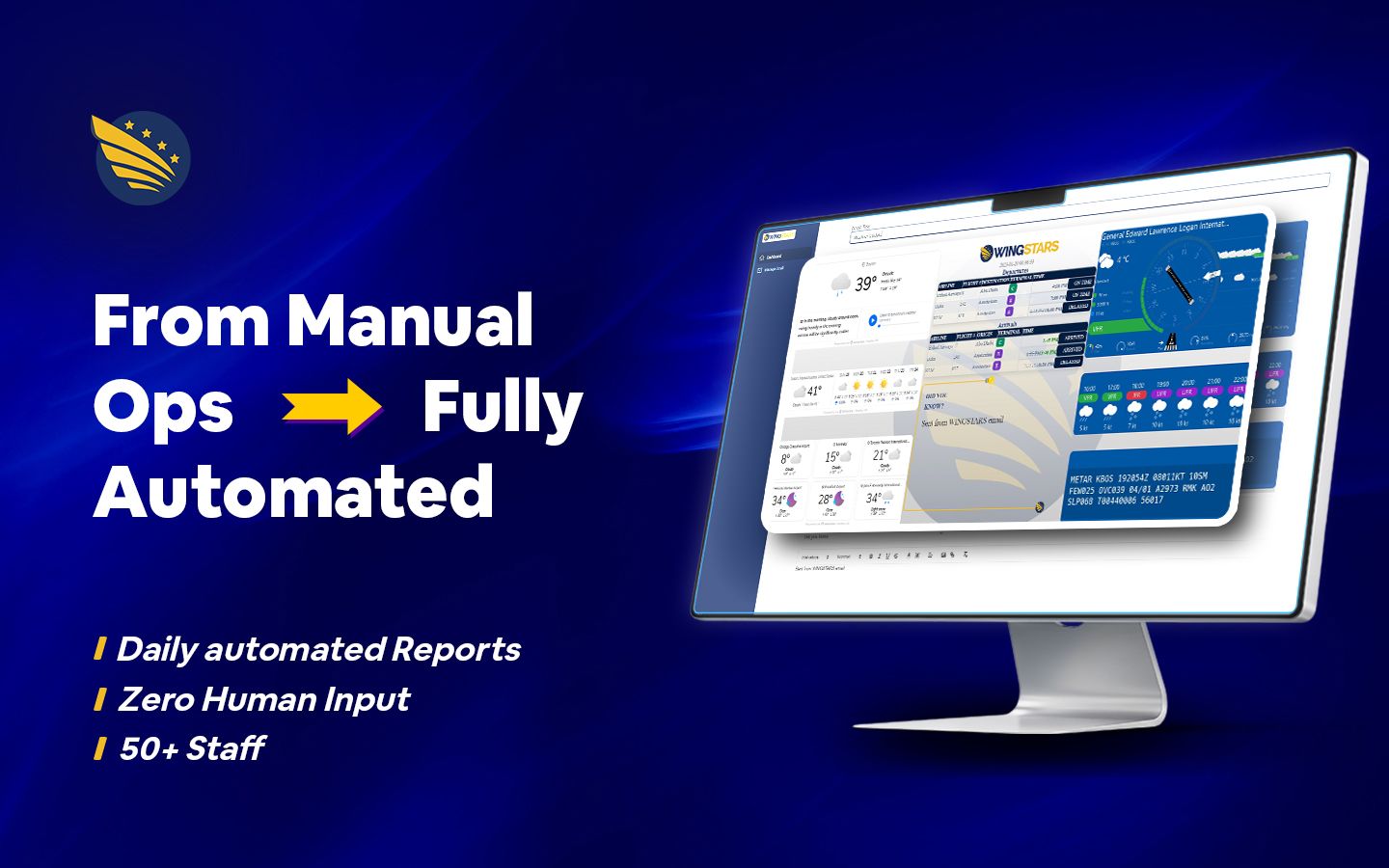
WingStars is a Canadian aviation services company that specializes in aircraft deicing and ground operations. Before every shift, their operations team needs accurate, up-to-date weather data (this is not background information for them, it is what their entire operation runs on). Ice on a runway or an aircraft is a major safety issue, and the crews preparing to address it need reliable briefings before they start their work.
I was brought in to build a desktop application that fully automates the process of fetching weather data, compiling it into a formatted dashboard, and distributing it to the entire operations team every morning at 6am (without anyone having to lift a finger).
WingStars had a manual process in place. A hired intern would visit multiple weather data sources, take screenshots, format everything into a report, and email it to a manager, who would then redistribute it to the wider team. This process worked, but it had several problems:
Paying someone hourly to do the same task every day is very inefficient use of budget, especially when that task never changes.
Screenshots taken manually can vary– images slightly cropped, layouts keep shifting, and formatting differences between sends.
A 6am send by a human is rarely exactly 6am. Some days it's 6:03, some days 5:58. For an operations team that is preparing for a shift, that predictability matters a lot.
Sick days, holidays, and turnover all introduced risk into this process that needed to be reliable every single day.
The client’s position was straightforward: this is repetitive, predictable work that a machine should be doing.
I first mapped out the full manual process end-to-end before I wrote a single line of code. Every step the intern was doing by hand became a requirement for the application to handle automatically.
I built a scraping pipeline that visits the relevant weather data sources, waits for pages to fully load using configurable delay settings, and captures accurate screenshots every time. The delay configuration was important– pages that load slowly or render dynamically needed time to fully populate before capture, which is something a human would account for naturally, but code needs to handle explicitly.
I built a templating system that takes the captured screenshots and compiles them into a consistent, formatted dashboard image. The layout, structure, and branding are identical on every single send (with no variation, and thus, no human error).
I built a scheduled email sender that distributes the compiled dashboard to a stored list of 50-60 recipients at 6am daily, without any manual trigger. The application handles sender credentials, app passwords, and the full distribution list through a settings panel I designed specifically to be manageable by non-technical staff.
I built a full email list management system with add, update, delete, and search functionality, along with a settings panel for configuring send times, credentials, and capture delays. The goal was that once set up, my tool requires zero ongoing technical involvement.
WingStars Weather Dashboard BOS is a fully functional desktop application with the following capabilities:
The entire manual workflow (from visiting sources, screenshotting, formatting, and emailing) was eliminated completely. What previously required a hired person is now handled entirely within the custom application I built from Wingstars.
| Metric | Before | After |
|---|---|---|
| Staff required to run process | 1 hired intern | 0 |
| Daily send time | Variable, manual | 6:00am, automatic |
| Dashboard formatting | Inconsistent | Uniform every send |
| Distribution | Manual redistribution via manager | Direct to all 50+ recipients |
| Dependency on human availability | Yes | None |
Beyond the time saved, the more important outcome for WingStars was operational reliability. A deicing crew that receives the same well-formatted weather briefing at the same time every morning, regardless of holidays, sick days, or staff turnover, is a more prepared crew. In an industry where weather conditions directly affect safety decisions, that consistency is not just a convenience; it’s an operational asset!
The task was repetitive, predictable, and being paid for by the hour. I automated it once, and it has been running on its own ever since.
I build tools that replace manual workflows; reliably, cleanly, and without ongoing maintenance overhead.


Questions? Comments? Feel free to send a message!